ChatGPT Android Update: OpenAI Plans Calls, SMS, and Screen Control to Challenge Gemini
OpenAI appears to be preparing a broader role for ChatGPT on Android, with unreleased app code pointing to phone calls, text messages, and screen awareness.
The potential additions could bring ChatGPT closer to Google’s Gemini as a mobile assistant capable of performing everyday tasks. However, the features remain under development, and OpenAI has not announced a release date.
ChatGPT Android Update Reveals Calls, SMS, and Contact Access
The latest findings come from an APK teardown of ChatGPT for Android version 1.2026.328, reported by Android Authority on November 27, 2026. The investigation identified permission-related strings suggesting that OpenAI is developing deeper access to Android’s communication functions.
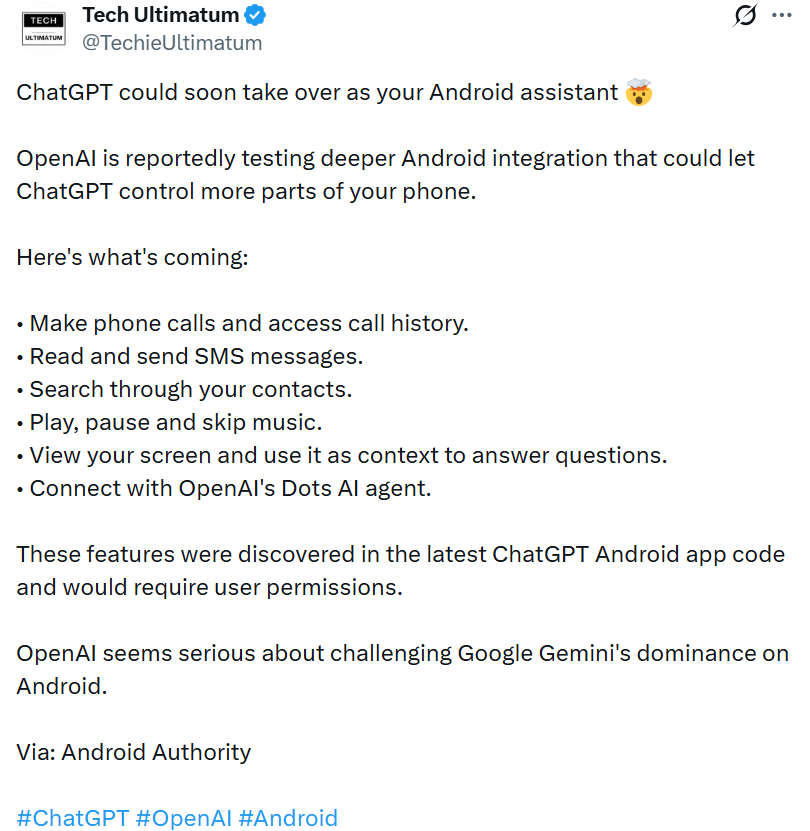
TechieUltimatum reports OpenAI is testing deeper ChatGPT Android integration for calls, SMS, screen control, and AI agents, subject to user permissions. Source: @TechieUltimatum/X
According to the findings, ChatGPT could request permission to search saved contacts, review recent call history, and place phone calls when instructed. The code also references access to incoming and outgoing SMS messages, potentially allowing the assistant to read and send texts on a user’s behalf.
Several permission prompts discovered in the application indicate how these capabilities might work. One reads, “Let ChatGPT read recent calls on this phone, including phone numbers and saved names.” Another asks users to allow the application to “read and send text messages on your phone.”
These references suggest that OpenAI wants ChatGPT to move beyond generating responses and provide direct assistance with everyday communication. Users could potentially request a call to a saved contact or ask the assistant to handle a text message without manually switching between applications.
However, the presence of these strings does not establish that the features are operational. APK teardowns examine application code to identify functions being developed, and some discoveries never reach public releases.
ChatGPT Could Control Music and Read Android Screens
Communication tools are not the only capabilities suggested by the latest Android app findings. The code also points to potential media playback controls that would let ChatGPT interact with music or other audio already playing on a device.
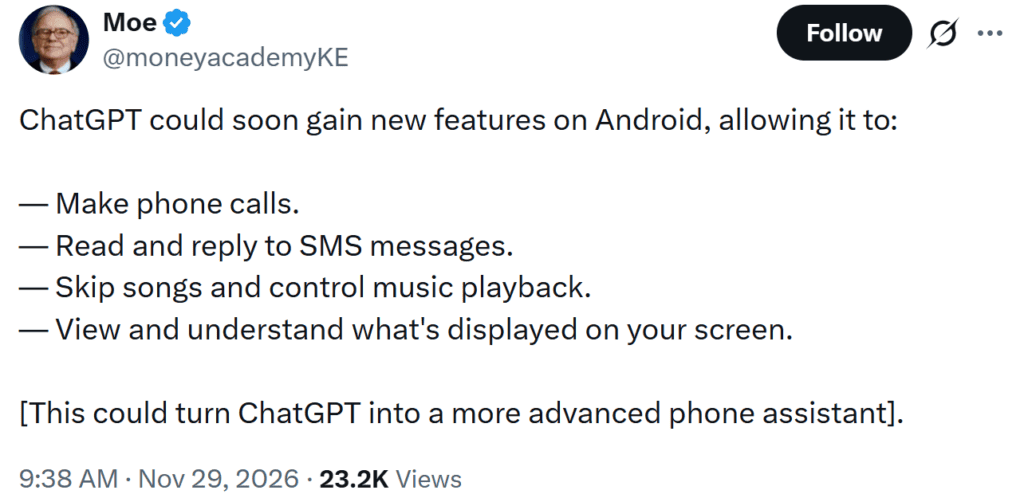
Recent APK teardown of ChatGPT Android version 1.2026.328 reveals planned features for calls, SMS, media control, and screen access. Source: Moe via X
The discovered permission references indicate that the assistant could pause, resume, or skip tracks through Android’s notification access system. It may also identify the currently playing artist, track, and playback status.
One particularly revealing code description states: “Resume means play the existing session; this tool does not open an app or choose new music.”
This distinction suggests that the proposed functionality would focus on controlling existing playback sessions rather than independently navigating music applications and selecting songs. It could make simple requests, such as pausing a track or skipping to the next one, easier to complete through voice interactions.
Another potential addition involves screen awareness. The application contains references to reading information currently visible on an Android display and using that information to answer questions.
A related prompt, “Ask about your screen,” suggests users could request explanations or assistance based on the content they are viewing. The code also references capturing screen information again when users ask follow-up questions.
Such functionality could reduce the need to take screenshots and manually upload them to ChatGPT whenever assistance is required. For example, users might be able to ask about a webpage, an application interface, or information displayed on their phone.
Nevertheless, the extent of this capability remains uncertain. The discovered strings describe possible functionality rather than demonstrating how the final feature would operate.
OpenAI’s Dots Could Get a Bigger Role on Android
The APK teardown also identified references to OpenAI’s Dots, its always-on AI agents designed to manage ongoing tasks and continue working between conversations.
Two configuration names found in the application are particularly relevant: allowedWhileLocked and useDotAsAssistant.
The first suggests that a Dot could potentially remain accessible while the Android device is locked. The second points to a possible option for assigning an individual Dot as the phone’s digital assistant.
If implemented, these additions could expand the role of Dots beyond their existing productivity-oriented functions. Users might eventually interact with an AI agent through their phones without opening the ChatGPT application for every request.
OpenAI’s existing documentation describes Dots as agents that can work on projects using their own cloud computers and connected applications. Users can assign tasks, review progress, and adjust what the agents are permitted to do.
However, the Android code does not establish that Dots will receive unrestricted access to device functions. Android Authority also noted that the precise relationship between Dots and the proposed phone controls remains unclear.
The distinction is important because connecting an existing AI agent to Android’s system-level functions would represent a different type of integration from allowing it to manage tasks across connected applications.
OpenAI Challenges Google’s Gemini Advantage on Android
The potential ChatGPT upgrade comes as Google continues expanding Gemini’s role as an Android digital assistant.
Gemini already supports several functions referenced in OpenAI’s application code. Depending on device compatibility, permissions, and settings, Google’s assistant can place calls, send messages, read and respond to notifications, control media playback, and use screen information to provide contextual answers.
An APK teardown reveals upcoming ChatGPT Android integrations that could challenge Gemini’s device-level advantage. Source: @AndroidPolice/X
Google also documents options for using Gemini on a locked device, including making calls and sending messages when users enable the relevant settings.
These capabilities give Gemini an advantage over ChatGPT’s existing Android assistant experience. Android Authority reported that users can already select ChatGPT as their default assistant, but its current functionality in that role remains largely limited to voice interactions and text responses.
The proposed additions could narrow that difference. Rather than requiring users to open ChatGPT and manually provide information, deeper Android integration could allow the application to respond to requests involving contacts, communications, and on-screen content.
For OpenAI, the broader objective would be to make ChatGPT useful beyond conventional AI conversations. Competing for the default-assistant position would also put it in closer competition with Google’s established Android ecosystem.
However, matching individual features does not necessarily translate into replacing Gemini. Device compatibility, response reliability, available integrations, and the quality of task execution would all influence how users choose between the two assistants.
Privacy and Permission Controls Remain Important
Giving an AI assistant access to phone calls, messages, contacts, and screen content introduces additional privacy considerations.
These functions involve personal information that users may not want to share with every application. Call histories can reveal communication patterns, while SMS messages and screen content may contain sensitive personal or financial details.
The permission strings identified in ChatGPT’s Android application suggest that OpenAI intends to request specific access before using these functions. For example, the application references separate permissions for contacts, call history, messaging, and notification access.
However, permission requests alone do not answer broader questions about data handling. Users will need clear information about how the application processes accessed content, whether information is retained, and how permissions can be reviewed or withdrawn.
The screen-reading function deserves particular attention because information displayed on a phone can include private conversations, account details, and other sensitive material. A clear explanation of when screen content is accessed and how long it remains available would be important for user confidence.
OpenAI has not publicly confirmed the proposed Android capabilities or provided details about their eventual privacy controls. Until those details become available, the discovered code should not be treated as evidence of a completed product or an approved rollout.
For now, the November 27 findings offer an early indication of OpenAI’s ambitions for ChatGPT on Android. If the features reach a public release, they could make the assistant more capable of handling everyday phone tasks and strengthen its competition with Google’s Gemini. The timing, availability and final scope of the integration remain unknown.
 Brave New Coin reaches 1M+ engaged crypto enthusiasts a month through our website, podcast, newsletters, and YouTube. Get your brand in front of key decision-makers and early adopters in 2026. Limited slots remaining! Find out more today!